How do I swap a subscription for another product?

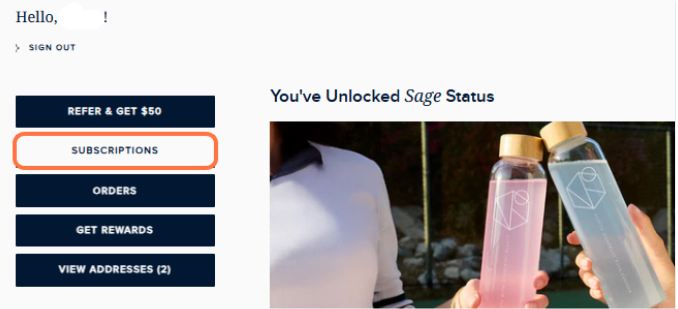
- Log in to your subscription manager account. You can access this through our confirmation emails, or by logging into your account on our website and click SUBSCRIPTIONS.
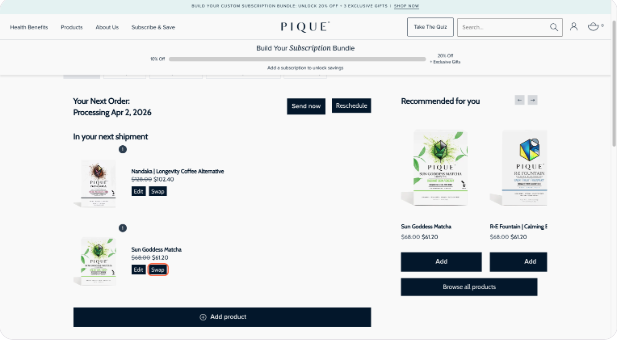
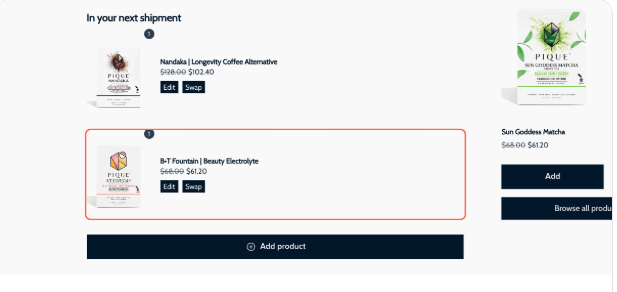
- Choose the product you wish to modify and click Swap.
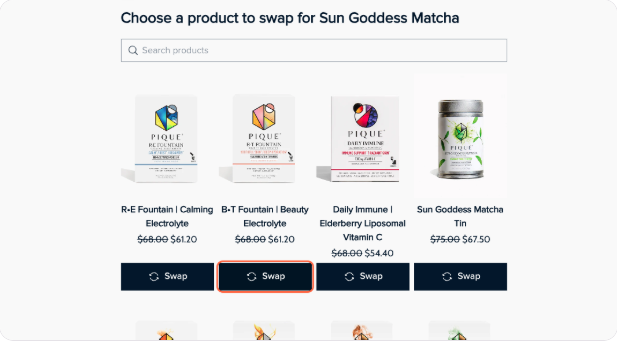
- Choose your new product of choice and click Swap.
- Select your quantity and delivery frequency.
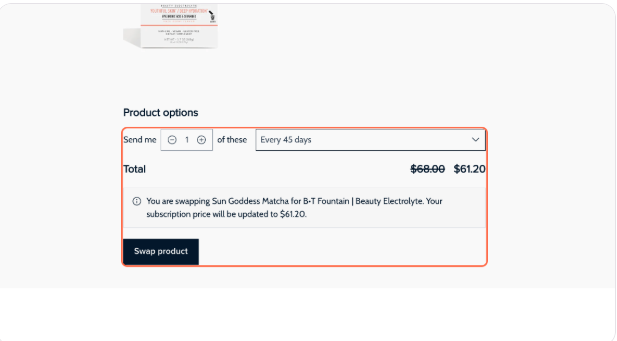
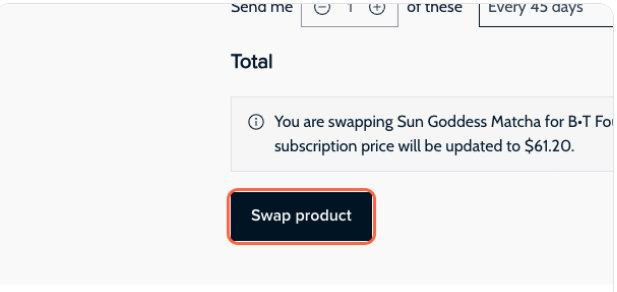
- Confirm by clicking Swap product.
- All done!
NOTES:
- All subscription and shipping updates must be completed before your subscription processing date as Pique orders are processed early in the morning. Changes made on the same day will not apply if the order has already been processed, and the shipment will go to the previously saved address.
- It is the customer’s responsibility to manage subscription and shipping details in advance, which is why we send reminder emails 3 days before processing with direct links to manage your subscriptions.
- If your order has already been processed, please contact us at care@piquelife.com. While we will do our best to help, please note that we cannot guarantee stopping or redirecting a shipment once it has been processed, as Pique orders are shipped out quickly.
